How a W3C group works

This is my first post about how the W3C groups work. I am more or less enabled to say what I want about the group and work, but I think it is more interesting to my “readers” to know how it works rather than simply what we said in the group meeting in Boston. What was said at the latest meeting (and during the teleconferences) is generally reflected in the public documents that are released periodically. As an external “user” of the W3C recommendations I have always wondered about how they work.
So here is my insight.

As you might already know, in May 2005 I was asked from Dan Appelquist to consider joining the MWI BPWG. I immediately said I was interested and wanted to know more about the group and the work involved. Being part of a Working Group seemed like a great opportunity to meet many interesting people with very different backgrounds and get to talk about WURFL in “standards body”. I know W3C is NOT a standards body, but basically many of their recommendations are considered so.

Soon I got to work against a little bit of burocracy. Since I don’t work for a company that is member of the W3C (I’m self-employed) I had to ask to join as an “invited expert”. Being part of the W3C is an important thing for many companies and I understand that inviting people to join groups without being members is a little strange. At the same time I think that sometimes it can be useful to the group. “invited expert” means that I am considered an expert of the specific argument the group will talk about and get to join the group without paying to be a member of the W3C. All other expenses are on me (or my company).

The London meeting (late June 2005) happened just a few days after I said I was interested to join. The paperwork wasn’t done yet. I joined the meeting as an “Observer”. An observer is generally someone who is interested in the work of the group and would like to know more to understand what is going on and maybe consider joining the group. In general an observer should not really be part of the working group during the meeting, but may suggest something or ask questions (as far I as understood).

Later in July I got to officially join both the “Best Practices” WG, chaired by Dan and the “Device Description” WG chaired by Rotan Hanrahan. As far as WURFL is concerned, the DDWG sounded more interesting, but I (personally) wanted to also take part to the BPWG. Mobile Web is going to be interested for all mobile and non-mobile (web)site developers!
Joining a group really means a lot of extra work. This is something I want to say from now, because I really was surprised by the amoung of extra work that I got to do. I thought it would have taken 1,2 or 3 extra hours per week, but it is not so.
First of all you have to attend at least 1 teleconference every week which lasts about an hour or a little more. Than you have to read e-mails and possibly reply, when you have something to say. Then you have to read drafts that are not made public, provide your comments and maybe give a rationale for your comments. Then there are periodic face-2-face meetings, such as the one in London, the one in Rome, now in Boston… Following 2 groups is a lot of work. I think of the chairs, the editors or people who follows more than 2 groups. I am sure those are full-time jobs, I mean you really don’t get much time to do anything else.
This was the first surprise, I always thought that members of these groups had a lot of time to do other things, but if you are actively following 3-5 groups, I am sure it takes you almost an entire day.

Ok, this post is already becoming too long, I’ll talk more in the next days. I am still in New York City for my holidays, but I will be back in Italy next week.

Technorati tags:, ,

My visit @ Google New York

Today was a freezing cold day in New York, our third day in New York.

Thanks to a kind invitation from Sean, a nice guy I met at the W3C meetings, Greta (my girlfriend) and I got to visit the Google offices.
The offices are not far from Times Square (may I write the address? Is everyone going to be there on the street asking for a free lunch?).
When we got out this morning we thought we would get the subway to Times Sq. and then walk slowly, visiting some shops and places while on our way to the Google offices, but it was SO DAMN cold that we basically moved from a shop to another trying to get some relief.

When we got to the offices we had to leave our photo-ID to get the passes to go up to the 21st floor where we had to meet Sean. Once there we got to give our name, city and country and electronically sign an NDA. This now makes me wonder if I’m allowed to write about this… Well, I might take it offline if I get a letter from any Google-lawyer.

Sean came to pick us up in a minute and invited us downstairs (20th floor) to have lunch, YES, we had free food!
Today was “Dominican Republic cuisine”, which we had never had before. It was really good, I had pork and Greta had chicken. I am sorry I didn’t write down the exact dish names, so I can’t write them here, but anyway they were really good.
I also had a really good ice green tea by Arizona with ginseng.
After lunch I could not resist from filling a dish with M&M’s and Skittles.
Sean took us for a quick walk around the office and I got to meet a couple of nice people.
The three of us had a nice chat sitting on comfortable couches in the “relax area”, next to a gorgeous massage chair! Only problem of the chair? It’s all in Chinese so basically people doesn’t know the programs they use! 😀
If *I* had that chair at work I’d probably fall asleep while having a massage.

The visit was great I got to see the Googlers at work and I have to say they all looked happy and satisfied which is nice to see at a workplace. From an visitor point of view I would say they looked relaxed and not feeling like doing the job just because they want to get the money to go somewhere better. They looked to be satisfied and gratified from what they do, which is GREAT!

So thank you Sean for the kind invitation at your office!

Greetings from Google Logo

Boston meeting is over

The meeting is now over, today is Saturday.
The Device Indipendence meeting ended yesterday in the early afternoon.
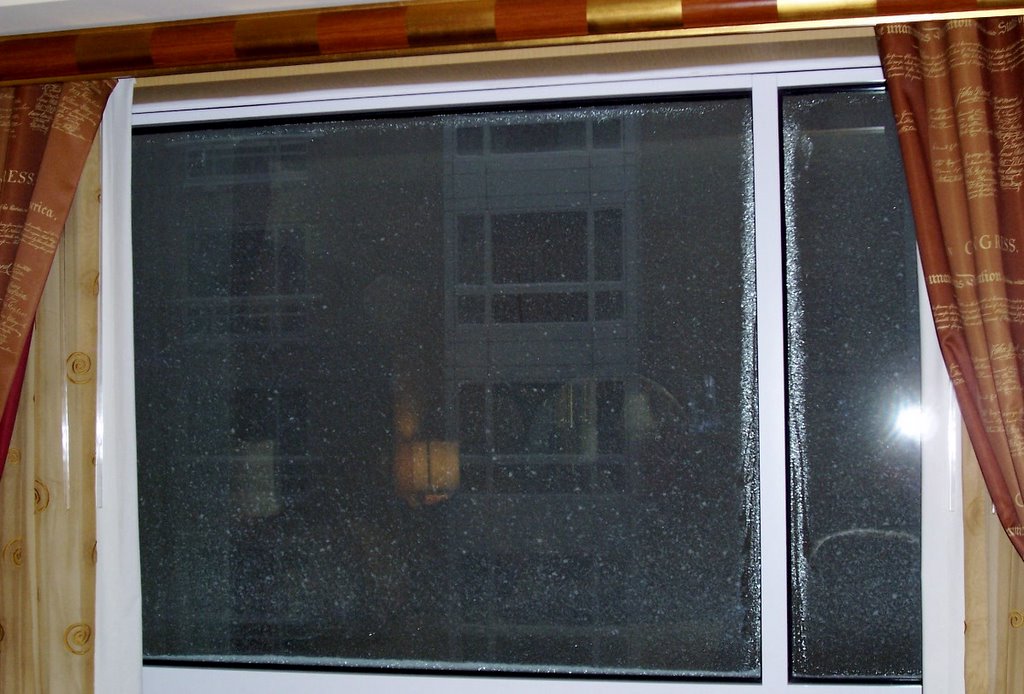
Boston greeted the W3C members with a nice snowstorm!
This is an “action-shot”:

I plan on writing a few articles about how work within the W3C works. If you are curious, check back soon.

MWI Boston F2F

Today begins the new Face-2-Face meeting in Boston.

First day and half if dedicated to Best Practices, then another day and half for Device Descriptions and then 2 days of joint meeting with Device Indipendence.

I will hopefully attend all five days, so I’ll be a little bit quite on the email and mailing list.

Stay tuned.

Play music all around

A couple of weeks ago a friend of mine came to visit. While we tried to have a normal chat like normal people we ended up talking about RSS, tech news and so.
At some point he touched an argument that I’m very interested on.
He told me that he recently bought the Roku Labs’ SoundBridge. I opened FireFox and searched for it. One of the nice things is that the maker suggests users to hack it and make new developments. Oh, sorry, I forgot to say what the SoundBridge is. It’s a wireless music player. You need a computer (Windows or Mac) a wi-fi hub and a plug. You plug the SoundBridge and it gets connected to your computer through the wi-fi network. Using a remote you can pick the songs you like best and play them.

Before going out and buying it I wanted to get more information. I found a number of alternative products, but all very similar. Here’s an unsorted list:

All these products (and more that I’m not listing) behave in the same way. They get connected to your computer and play music. All these devices, unfortunately, also REQUIRE external speakers.
All of them have output ports.
None of these has internal speakers.

Now I wonder, if I have a computer and have a ton of MP3’s why would I need the wi-fi connection to a “standard” HI-FI system? If I have an HI-FI system I will certainly have a CD player. I can burn a CD (maybe RW) and play that music on my HI-FI. Why do I need a wi-fi connection? To save me from burning a CD? I could use a wire, the quality would be better than the wi-fi and not have a problem with interferences…

What I think is really cool about the wi-fi connection is that you can take it with you. What I think would be super-cool is not simply plugging these “receivers” to my HI-FI, but rather bring it with me, just like a portable radio, and play my music remotely.
I found two products that do this.
The HomePod is about exactly what I wanted. It has a wi-fi, it has output ports, it is small and has internal speakers.
Another product that is more a stand-alone complete product is the Streamium by Philips, also known as “Wireless Music Center” in Italy and other countries, I suppose. I saw it in a store near my house. It’s not too small, but it’s a really good idea. It has a base station with a CD player that may also RIP the songs and store them on a hard-drive. It broadcasts music on the wi-fi and you may buy as many remote stations as you need. Each station connects to the base station, has a small LCD screen to see song titles, playlists, etc. Speakers seem of good quality. This product is exactly the opposite of the first ones, it may not be plugged to an existing HI-FI. There is no reference to an open protocol, thus I think you may be compelled to use the “Streamium stations” and not any other of the products I listed above.

My final choice is the HomePod, the only product that does what I like. Too bad it’s really ugly (at least IMHO).
Both the SoundBridge and the Noxon are really neat.
The Philips Streamium is the complete solution if you need to start from scratch (new apartment?).

jams.it, the early days of J2ME

A few years ago, 2002 and 2003, Bware Technologies, a company I worked for, designed a web site and a download server for Java MIDLets. It was really the beginning of J2ME and not many developers were into that field, yet.
A good number of java developers tried the mobile world and discovered that “write once runs everywhere” wasn’t entirely true. J2ME demonstrated once again how fragmented is the world of mobile phones.

jams.it was a free site where developers could upload their midlets (not very different from midlet.org) but also gave the opportunity to users (and developers themselves) to download midlets on their mobile phone. The site had a simple WAP version, users could pick a section and a midlet and download it.
This was particularly useful to test the Over-the-Air delivery system and demonstrated the high number of problems that each single device had downloading contents.

I eventually gathered all the information that we (Bware Technologies) and the developers on the site found in this nice article, “download issues“.

The archived version is courtesy of archive.org.

It was fun to find it and read it again.

This article and site also gave me the opportunity to virtually meet some VERY valuable Java/J2ME developers.

Who’s that cat?

Did you ever chat with me on ICQ, MSN or Yahoo? Did you ever wonder about my icon? That red cat that you see?

I added a link on the right column that goes on Flikr. That’s my girlfriend’s account and has a few pictures of Scott, my cat. She will certainly update and add more in the future. Take a look if you like cats.

If you’re too lazy to scroll down, here’s the link:
Lovely Gri

DDWG FPWD

DDWG FPWD? What?
Device Description Working Group First Public Working Draft, in short, we have a first draft ready of the Ecosystem document.
The ecosystem document is a paper that would like to describe the ecosystem of the mobile space with regard to browsing. This paper should describe the relationships of the actors in this space this should explain what are the values and the weaknesses. This is an introductory document that will help to explain why we need a “Device Descriptions repository”. This should also help to understand what should BE in that document.

Take a look at it and post your comments on the public list.